Welcome to the Sedgley Striders App – The central hub for all your club running information.


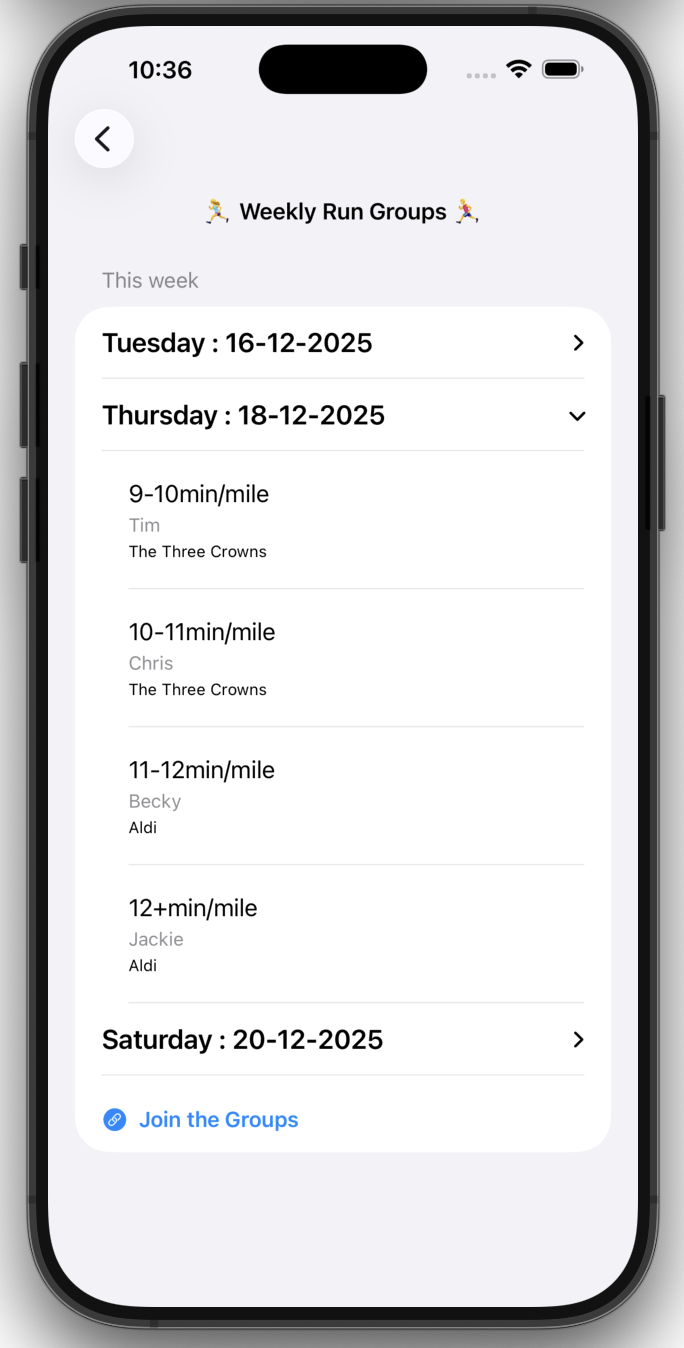
Discover which Run Groups are on Offer each week and who is leading them
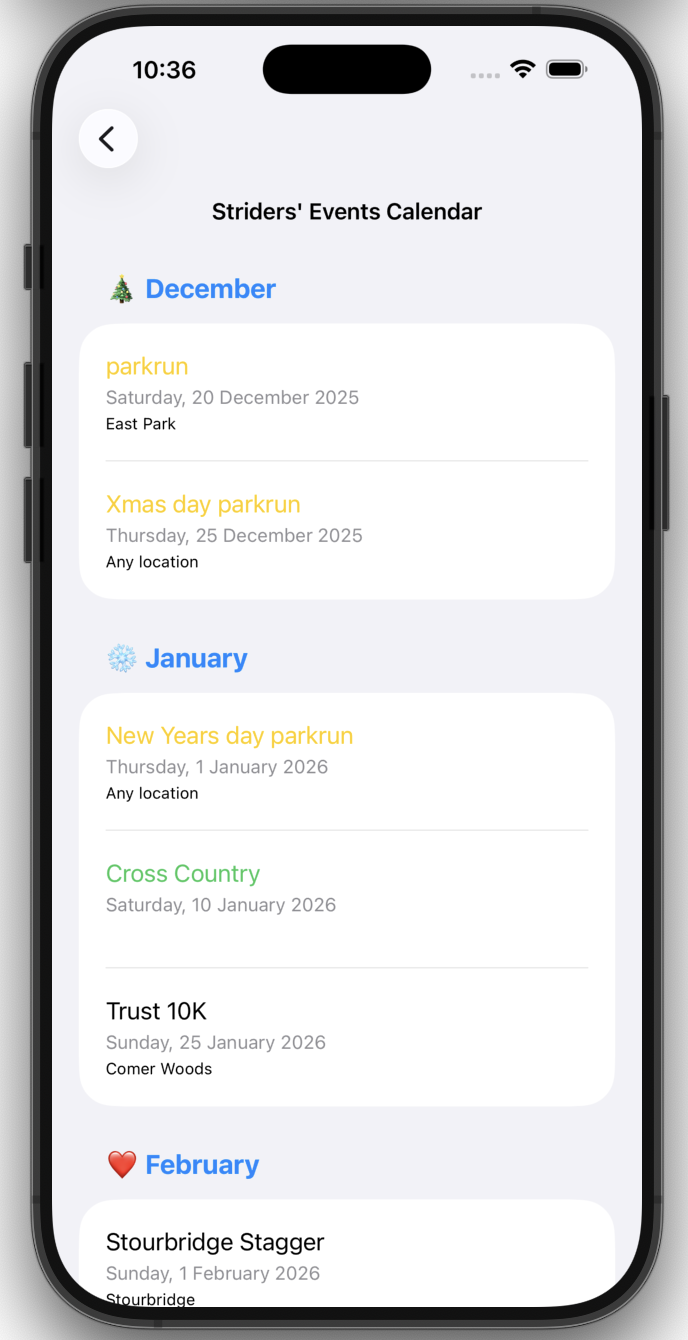
Check the Events Calendar, create your own list, even if they are not running events
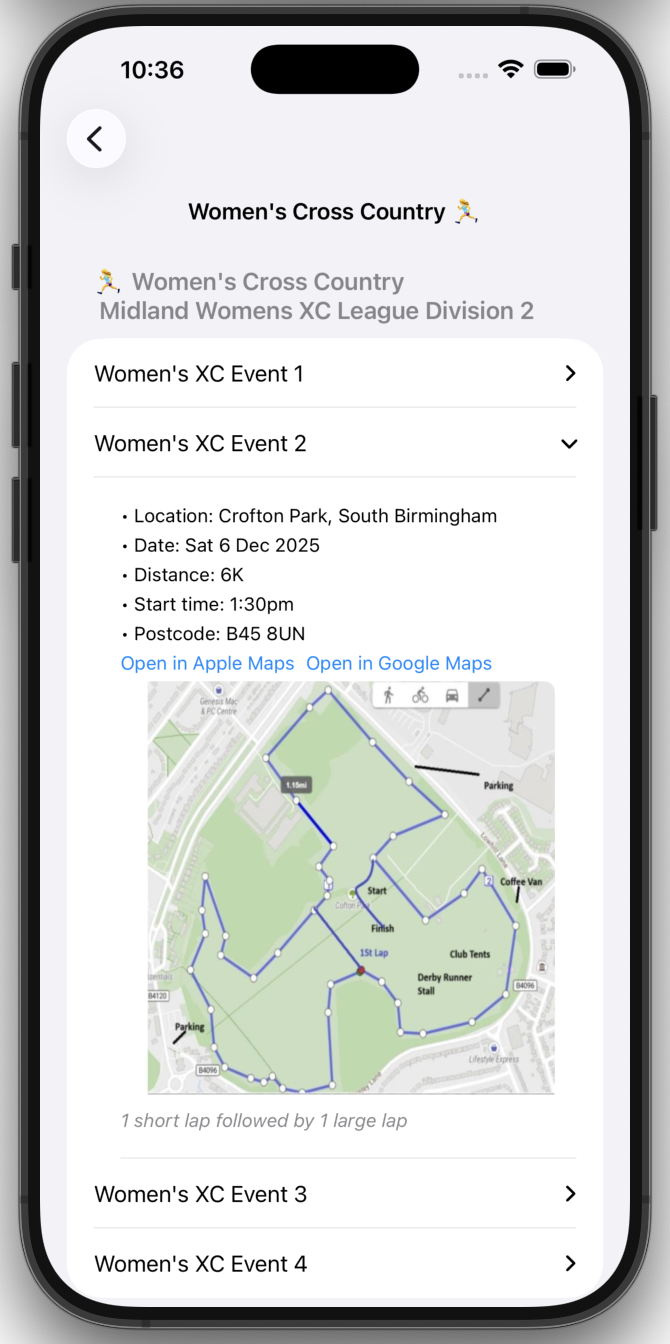
See when the next Cross Country events are
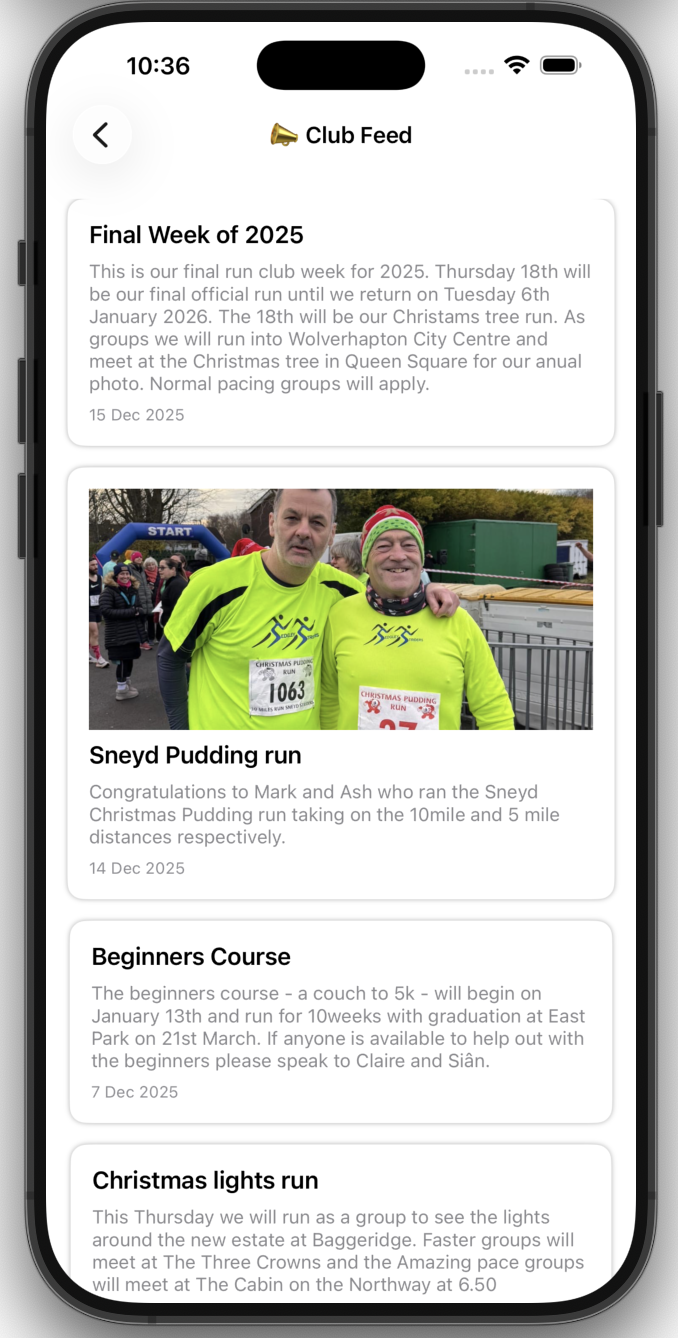
Check the latest announcements in the club feed
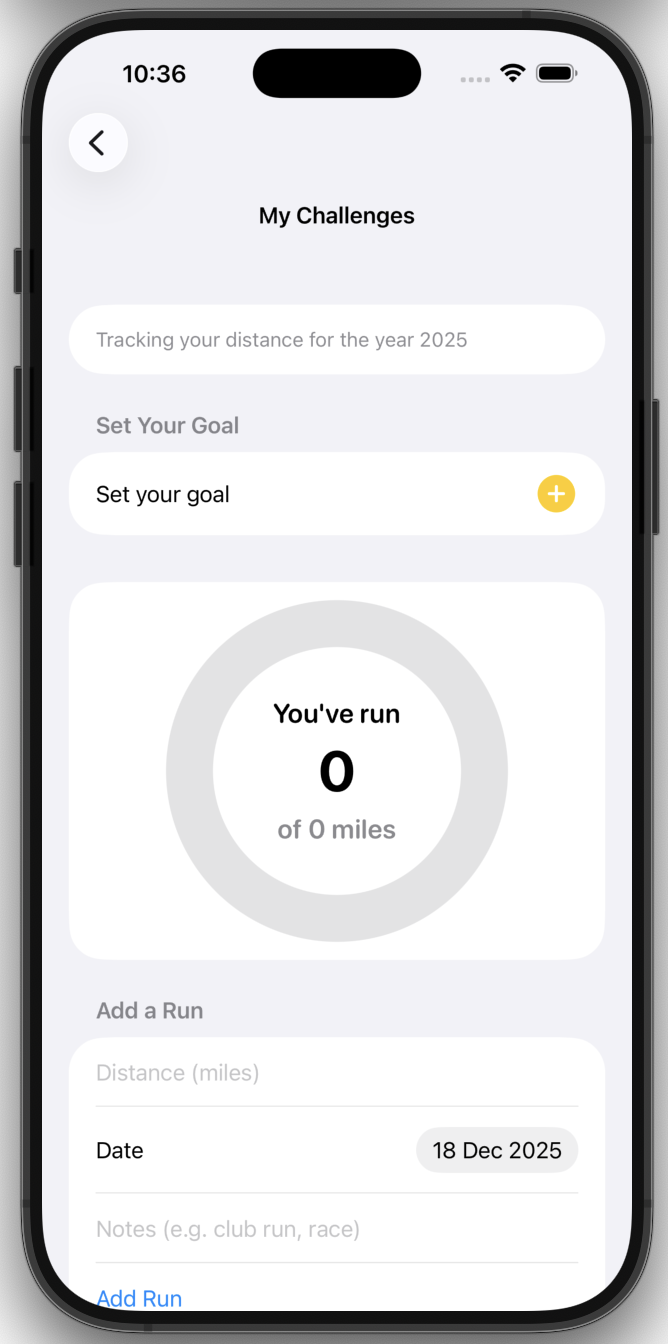
Set your personal distance goal for the year
And so much more.
The app is only available through the direct link above to the app store, which is currently in development.
It is password protected and will be given out to all paid up members of the Sedgley Striders.
For more information, see our FAQs below
Or, email ‘sedgleystridersapp@mail.com‘ for direct support
FAQs
Where does the information in the app come from.
All content is created or curated by Sedgley Striders. Run groups, announcements and club information come directly from the club. External links (such as Youtube videos) are provided for convenience and always open outside the app.
What devices can I use the app on?
The app works on iPhones and iPads running iOS/iPadOS 17 or later. Older devices may not be supported due to performance and security requirements.
I have downloaded the app – and I have the password page. How do I log in?
To log into the app, you need to be a fully paid member of the club. If you have paid, you will be given the password. You can request access by clicking the request access email under the password entry box and you should get the email within a few hours.
Please be aware that the password will change every May.
My password doesn’t work – what do I do?
The password is case sensitive. Please make sure you are using the correct uppercase and lower case letters and numbers. It will be one word with no spaces.
If you still can’t log in, please click the ‘Request access’ button and send the pre-filled email filling in your name in the space. If you are a paid up member of the club, you will receive the password. If not, you will be sent an email explaining that the app is not available for you.
How do I navigate around the app to find out what run groups are on offer?
On the home page there are 9 tiles. Tap of the first top left tile which says Run groups and it will take you to the run groups page. There will a small delay as the information is pulled in. Don’t worry you won’t have to wait long. It will show this week’s runs and next week’s runs. Click on a day and it will open up the options of what is available.
No run groups are visible to me.
This may be because there are no run groups available this week, if this is the case a message will be displayed saying ‘No groups available.’ It is rare that this will happen. We apologise if this is the case but we are all volunteers.
There are no run groups on offer for me at my pace. What do I do?
We understand that this may be frustrating but please remember we can only offer groups that run leaders are able to pace. If no one is available to take a group, you are always welcome to join another group.
I want to join a group, can I do this through the app?
Not yet but it is something we are trying to figure out. At the moment, just turn up and join the group.
I have been looking through the Striders calendar of events page and an event I was going to do has disappeared.
The event will have disappeared from view because the date has now passed and that event is not available.
There is an event I want to take part in but it is not in the Striders Calendar page.
This will be because the Sedgley Striders prioritise local events and they have been agreed upon by the committee. This doesn’t stop you taking part in the event. Remember, points in the Striders competition are available for taking part in all the events in the calendar.
I want to be able to create my own calendar of events. Can I do this?
Yes you can. Using the ‘My events’ page, you can add in all the events you want to take part in throughout the year and beyond. It will display them in date order.
Can I add the events in the Striders calendar to the ‘My Events’ page without adding them manually?
Not yet, but this is something that will be available in the future. Watch this space.
An event I took part in and added to ‘My Events’ page has disappeared
This will be because the date of the event has past. But don’t worry, the app remembers all your past events. Just tap the ‘Show past events’ toggle at the top and they will all appear. If this doesn’t work, please email for direct support.
How do I find out about cross country?
Tap on the left tile on the middle row of the homepage titles Cross Country and it will take you to the cross country page. Here you will be able to access cross country information by season. Only 2025/2026 season is available at the moment. Tap on the year, then choose either mens or women’s leagues. This will direct you to the respective pages. You can then tap on the race1, 2, 3, or 4. It will show the date of the event, the time and location. And if it is available, an image of the course.
There is no information about the event. It only says TBC
This might be because the league has not released the information yet. The page will be updated as soon as the information is released. Please be patient. All information is take direct from the details passed out by the league.
I want to join the cross country team. How do I do it. Can I do it through the app?
It will be great to have you on the team, no matter how fast you run. We like to think of it as a social day with cake and hot chocolate with a bit of running in-between. At the moment you can’t join through the app. Speak to the cross country captains. Their names are in the app.
I want to see what is happening in the club, can I do this?
Yes. Just click on the middle tile on the homepage called ‘Club Feed’. This Will take you to a page where the club will post announcements of things coming up or how runners have done in events. It may not show everything all the time, but we will try to update it as often as possible.
I have taken part in a race and want to show my photo. Can I upload a photo?
Not yet. The feed is only for admin members to push out information. Although it looks like a social media feed, it doesn’t have that functionality yet. If you want to show your photo, or make an announcement, email it to the club or let us know via a WhatsApp message and we will add it in.
The club feed isn’t loading. Pictures aren’t being displayed.
This might be because you are in a limited internet area. Once you have a better connection, they will display properly.
How do I create my own distance challenge for the year?
Tap on the ‘My Challenges’ tile and it will direct you to the challenge page. Click the + icon and enter the distance you want to run in total for the year. Click done and it will register.
I have just done a run but it hasn’t updated the ring.
Unfortunately, there is not the option to pull in the information through Apple’s health kit yet. At the moment you will need to manually add a run. Scroll past the ring to the ‘Add a Run’ section.
Importing the run data automatically is something we will look to do in the future. Watch this space.
What if I want to add a run from a few days ago I forgot to add.
No problem. Add the run as if you have just completed it, but back date it with the date selector.
It will still show all your runs in chronological order.
Can I edit my run distance goal?
Yes. Go back into the Set your goal via the yellow + button. Instead of ‘Set Goal’ when you retype the distance, it will now say Edit goal. Type in the new distance and tap the button. This will auto save. Then just swipe the page down. Your ring distance will update itself.
Why do some links open in my browser or YouTube?
To respect content creators’ rights and comply with App Store guidelines, all external videos and resources open outside the app. This ensures you always view content directly from the original source.
Why can’t I see the Tips & Links page when I’m offline?
The Tips & Links page loads its information from a live online spreadsheet. You’ll need an internet connection to view the latest updates.
I need accessibility support. Is this available in the app?
Yes, we have some accessibility support built into the app such as font size increase, and dark mode. These are available in the settings.
I want to reset all my data. Can I do this.
Yes, all data can be erased from the app and a clean slate made. Use the erase all challenge data in the settings.
The app is set in miles. Can I change the metrics to kilometres?
Yes. In settings is a use Metric’s (km) toggle simply turn it on. To return to miles, toggle it off.
How often is the app updated?
We update the app whenever new features, improvements, or club information become available. You’ll receive updates through the App Store like any other app.
Does the app collect any personal data?
No. The app does not track, store, or request any personal information. It’s built purely for convenience and club engagement. For more information, see our app privacy policy in the app.
I found an issue or something isn’t working — how do I get help?
If you spot a bug, have a suggestion, or need support, you can email us directly at:
sedgleystridersapp@mail.com
We’ll get back to you as soon as possible.
Who maintains the app?
The app is developed and maintained by Sedgley Striders volunteers. We’re always working to improve it and welcome feedback from members.
Is the app available on Android?
At the moment, the app is available on iOS. We’re exploring options for Android in the future.
Why does the app need internet access?
Some parts of the app — such as Tips & Links, event updates, and external resources — load information from online sources. Other sections work offline.
Where is my data stored?
All personal data you enter — such as your challenges or events — is stored locally on your device. Nothing is uploaded or shared with the club or any third party.
Can I suggest new features or content?
Absolutely. We love hearing ideas from club members. Send your suggestions to our support email and we’ll consider them for future updates.
 Sedgley Striders